Branding and account settings
Set your account name, logo, colours and fonts, switch the EmailFig line off, and choose your timezone.
Your brand is set in Settings → Branding, and your timezone in Settings → General. Both apply to the whole account, so your teammates see the same thing.
Branding
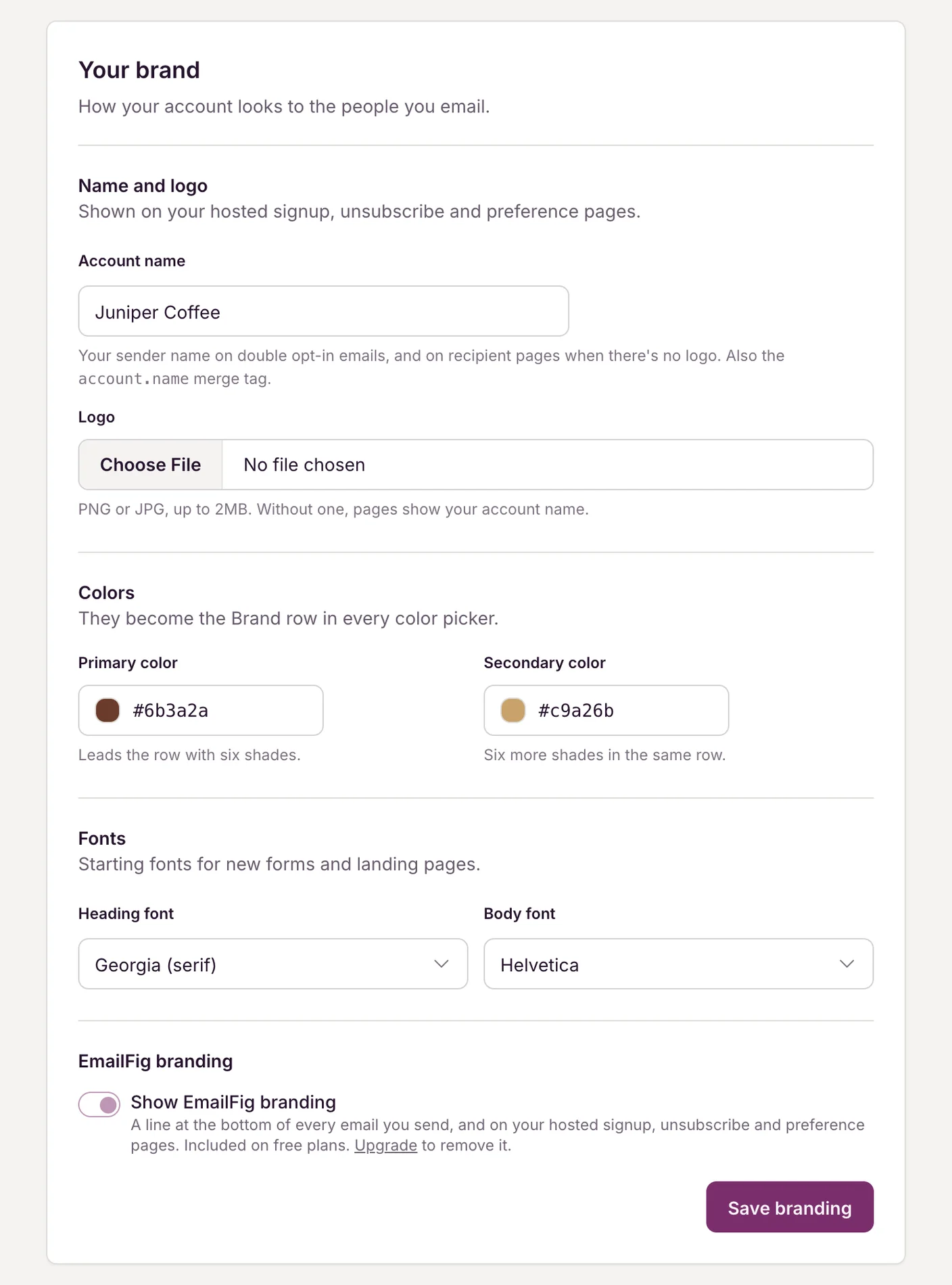
Go to Settings → Branding, fill in what you need, and click Save branding.
- Account name: your sender name. It shows on double opt-in emails, and on your hosted pages if you haven’t added a logo. Add it to an email with the
account.namemerge tag. - Primary colour and Secondary colour: these appear as a Brand row in the colour pickers of the email editor and the form builder, so your colours are always one click away.
- Heading font and Body font: the starting fonts for new forms and landing pages. Changing them doesn’t affect ones you’ve already made.
- Logo: a PNG or JPG up to 2 MB. It appears on your hosted signup, unsubscribe and preference pages.
The EmailFig line
A short EmailFig line appears at the bottom of every email you send and on your hosted signup, unsubscribe and preference pages. It’s on by default.
On a paid plan you can switch it off: untick Show EmailFig branding and click Save branding. On the free plan it stays on. If your paid plan ends, the line comes back until you subscribe again. See Cancel or resume your subscription.
Timezone
Go to Settings → General, pick your Timezone (start typing a city to search), and click Save. If your browser is set to a different timezone, you’ll see a suggestion with a Use this button.
Your timezone sets how days are counted in reports and the times you see when you schedule a campaign. Set it early: changing it later doesn’t re-count the days in reports you already have.
Your name
Your own name is in Settings → Profile, under Name. It’s how we address you in the app and in our emails to you, and it belongs to you, not the account. Your sign-in email is on the same page. See Change your sign-in email.
Related: Client accounts for agencies, Customise the unsubscribe experience.