Clean your list of inactive contacts
Find contacts who haven't opened in months, try to win them back, and remove the rest.
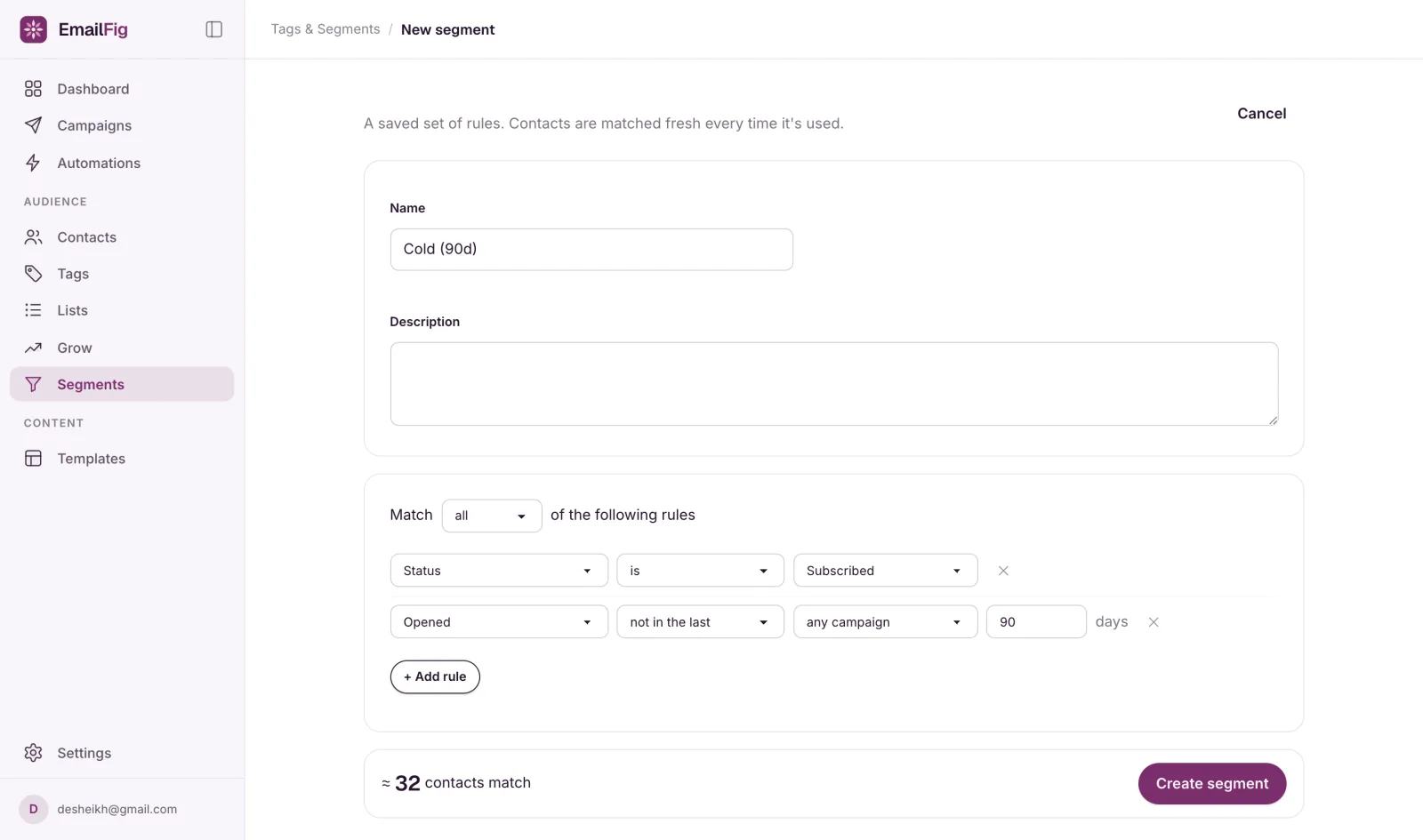
Make a segment of your inactive contacts (the Cold (90d) starter does it in one click), send them one last email, then remove whoever still doesn’t engage. A smaller list of people who read your emails lands in the inbox more reliably than a big one that ignores you.
Addresses that don’t work are already taken care of: bounced addresses become cleaned and are never mailed again. This guide is for people who can get your email but aren’t reading it.
Find them
- Go to Contacts → Segments and click New segment (or pick the Cold (90d) starter if you have no segments yet).
- Use two rules: Status is Subscribed, and Opened · not in the last · any campaign · 90 days.
- Name it and click Create segment.
- On the segments table, open the segment’s … menu and click View contacts.
Read the number with care
- Opens aren’t exact. Some email apps record opens that never happened, and others hide real ones. See Why are my open rates inflated?
- Sending rarely? 90 days may cover only a few emails, so add Clicked · not in the last · any campaign · 90 days with Match all so you keep anyone who clicked.
Try to win them back
Create a campaign, choose Tags and segments on its Audience card, and pick your cold segment. Keep it short with one clear ask: a link to click, or a link to your preference centre so they can choose fewer emails instead of none.
Give it a week or two, then reopen the segment. Anyone who opened or clicked has dropped out of it.
Remove the rest
Export first if you want a record: on Contacts, choose the segment under Filters and click Export. Then tick the rows and choose Delete, 25 at a time. See Bulk actions on contacts.
Deleting isn’t unsubscribing. Deleted contacts stop counting towards your plan, but importing the same file later brings them back. To make sure they’re never mailed again, unsubscribe them instead. Bulk actions on contacts shows how to do that for a batch.