Leave the SES sandbox: request production access
A new Amazon SES account only delivers to addresses you've verified. Ask AWS for production access, then EmailFig starts sending.
Every new Amazon SES account starts in the sandbox, a trial mode that only delivers to addresses you’ve verified in your own SES console. To send campaigns, you ask AWS for production access in your AWS console, and EmailFig picks up the answer.
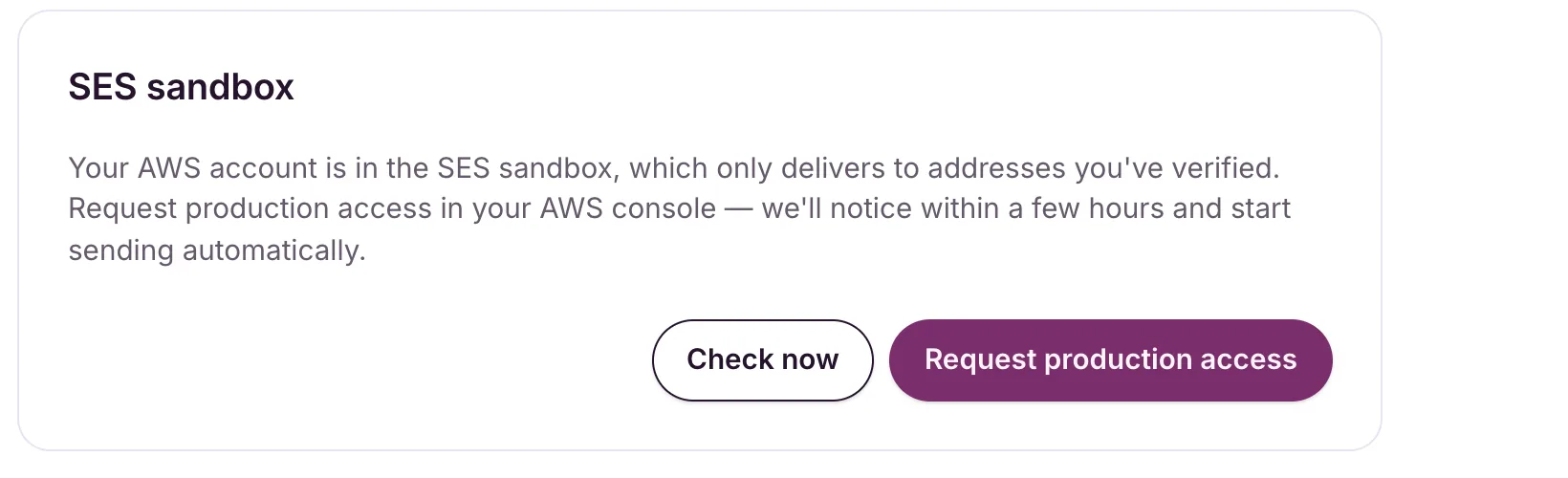
While you’re in the sandbox, Settings → AWS shows the status Connected (SES sandbox) and a card called SES sandbox.
Verify a sending domain first
AWS asks what you’ll send and where from, and a verified sending domain helps your request. You can add one while you’re in the sandbox. See Add and verify a sending domain.
Request it
- Go to Settings → AWS and find the SES sandbox card.
- Click Request production access. Your SES account page opens in the AWS console.
- Fill in AWS’s form. Choose Marketing as the mail type and describe how people sign up, how you handle bounces and complaints, and how people unsubscribe.
- Submit it. AWS aims to reply by email within a day.
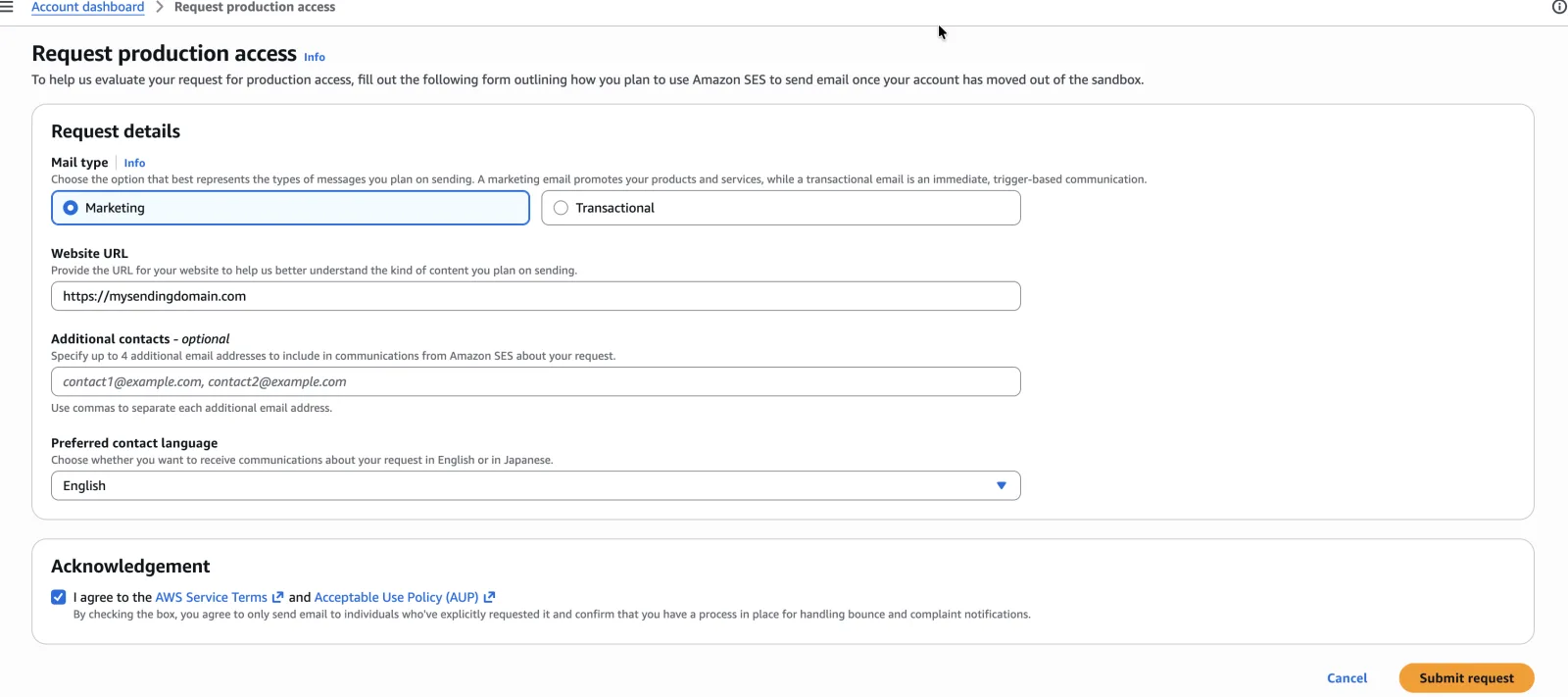
Be specific. It helps to say that your list is opt-in, every email has a one-click unsubscribe, and bounces and complaints are suppressed automatically.
When AWS says yes
Once AWS emails you, open Settings → AWS (or click Check now on the sandbox card). When EmailFig sees the change:
- the status changes to Connected, with Production access: Granted under it
- the SES sandbox card goes away
- we email you, with the subject Your AWS account is out of the SES sandbox
If your AWS account already had production access, EmailFig goes straight to Connected when you connect.
While you’re in the sandbox
You can build campaigns, automations, forms and templates, import contacts, add sending domains, and send test emails. Campaigns can’t go out yet: the send is refused with Can’t send yet: your AWS account is still in the SES sandbox, which only delivers to addresses you’ve verified. See Settings → AWS.
If AWS says no
The SES sandbox card looks the same whether your request is pending or refused, so watch for AWS’s email. If they say no, reply to AWS’s support case with what you’ve changed. That conversation is between you and AWS.
Your sending limits
Once you’re out of the sandbox, AWS sets how fast you can send: a number of emails per second and a total for every 24 hours. New accounts start low and Amazon raises them as you send, or you can ask for more in your SES console. A campaign that reaches your 24-hour total stays Sending and carries on as the total frees up.