Invite your team
Add teammates to your EmailFig account by email. Each person signs in as themselves and can do everything except close the account.
You can invite as many teammates as you like. Each person gets their own sign-in.
The person who created the account is its owner, and everyone you invite joins as a member. Members can do everything the owner can, from sending campaigns to billing and sending domains, except close the account (or, for an agency, close a client account).
Send an invite
- Go to Settings → Team.
- Under Invite a teammate, enter their Email address and click Send invite.
- Confirm it’s you with the code we email you (or your authenticator code, if you use two-factor authentication).
They get an email with a link to join. The invite shows under Pending invites until they accept, and the link works for 7 days. If it expires first, it drops off the list, so send a new one.
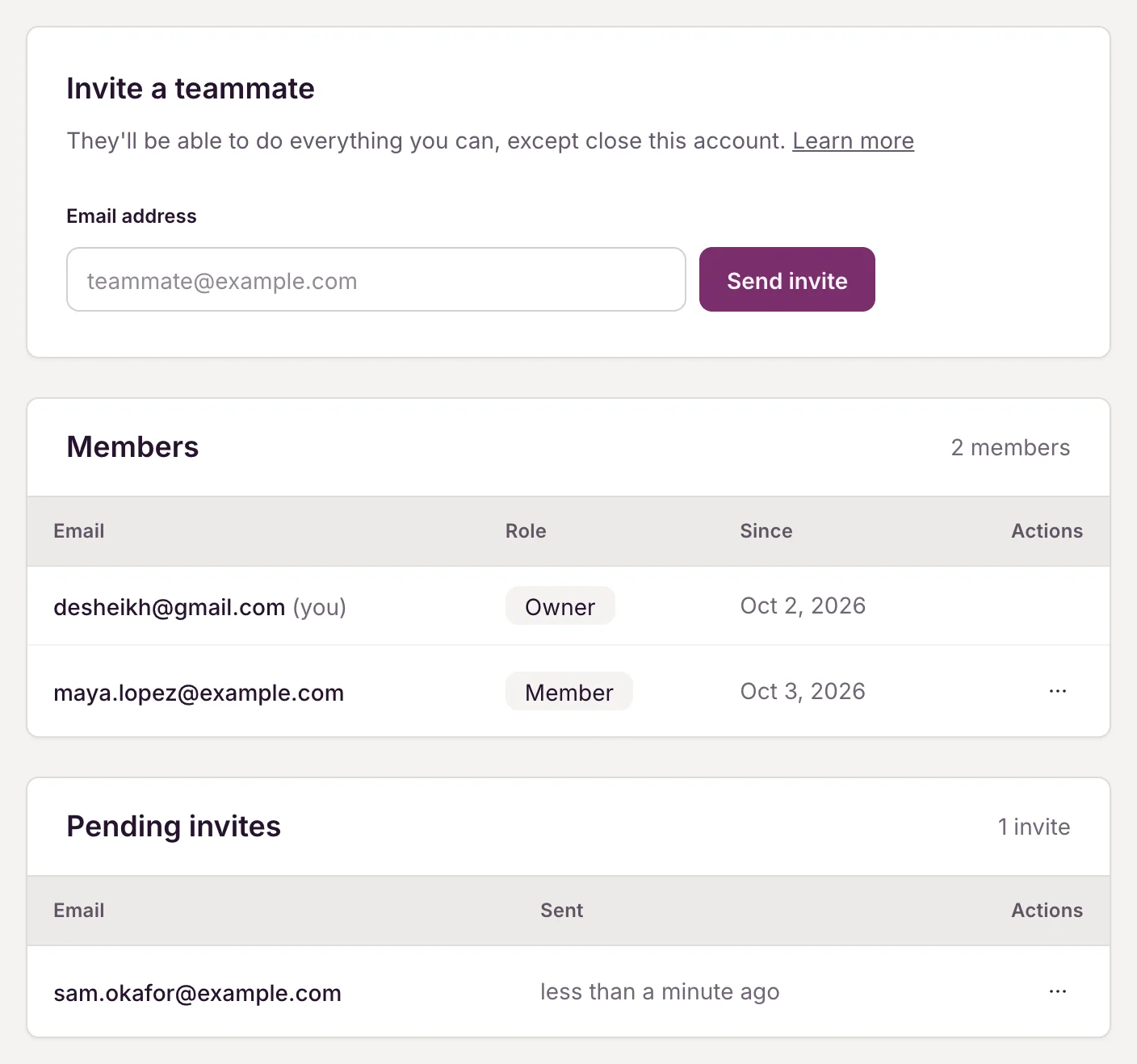
Manage invites and teammates
Open the ”…” menu on a row:
- Resend sends a fresh invite link, good for another 7 days. The old link stops working.
- Revoke cancels an invite that hasn’t been accepted yet.
- Remove takes a teammate off the account. Their access ends straight away.
To leave an account you were invited to, click Leave this account under the Members table. The owner can’t be removed and can’t leave.
Accepting an invite
If you’ve been invited:
- Click the link in the invite email. You’ll see You’ve been invited.
- Click Continue. We email a 6-digit code to the invited address.
- Enter the code and click Join account.
You don’t need a password or an existing EmailFig account. If you already have one, the new account is added to your sign-in, and you switch between them from the menu at the bottom of the sidebar.
If the page says This invite isn’t valid, the link has expired, been revoked or already been used. Ask whoever invited you to send a new one.
Related: Sign in without a password, Client accounts for agencies.