Your deliverability health badge
The Sending health card on your dashboard shows how your recent sending looks, always over the last 30 days.
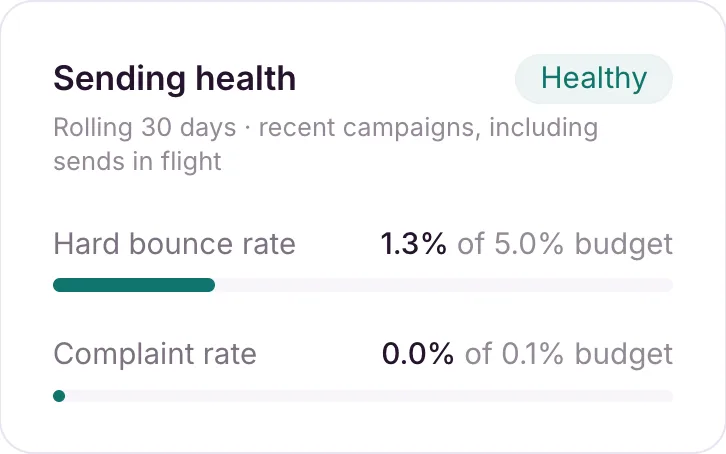
Your dashboard’s Sending health card gives you a quick read on your sending, based on your hard bounce rate and complaint rate over the last 30 days. It always uses the last 30 days, even if you’ve switched the rest of the dashboard to a 7-day or 90-day view.
The three states
- Healthy: both rates are under budget.
- Needs attention: your hard bounce rate is at or above 5%, or your complaint rate is at or above 0.1%, of everything sent in the last 30 days.
- Sending paused: your account is suspended, so nothing is sending regardless of the rates.
The card shows both rates as meters against their budget, so you can see how close you’re getting before you cross into “Needs attention”.
The badge counts hard bounces only, since those are what damage your reputation. A single campaign’s report shows a bounce rate too, but it counts both hard and soft bounces, so the two figures differ on purpose. See Metrics defined.
If you’re seeing “Needs attention”
A high hard-bounce or complaint rate almost always traces back to list quality. Work through Why are my emails going to spam? and Why you shouldn’t send to purchased lists. Soft bounces vs hard bounces explains what each one counts.