My campaign is "in review"
What a held campaign means, how long it takes, and the one thing you can do if you need your account unblocked now.
Nothing has gone out. We’ve paused your campaign just before it sent so a person can read it. Most reviews clear within a few hours, and you don’t need to do anything: we’ll email you when it’s approved, or if we need something. There’s no way to approve your own campaign, so you can’t get this wrong by waiting.
What you’ll see
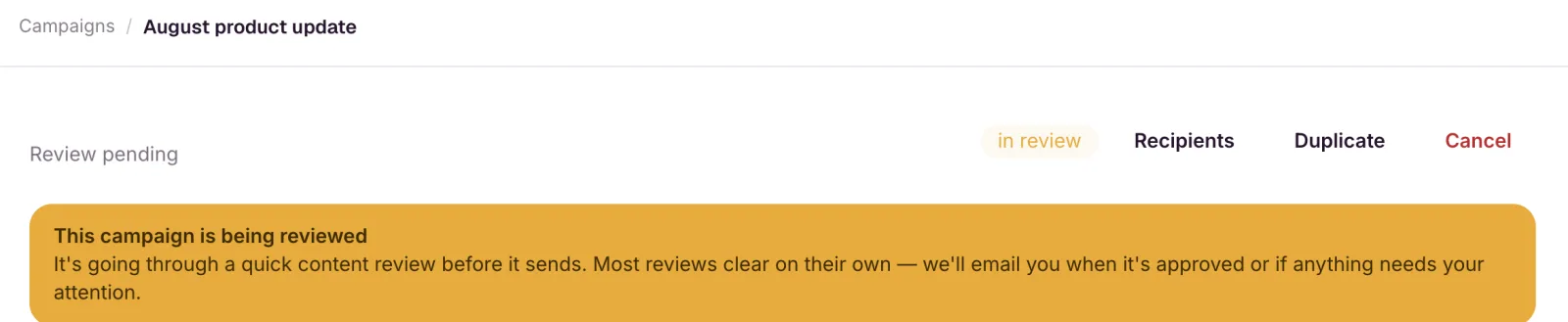
The campaign carries an in review badge, and its page shows:
This campaign is being reviewed It’s going through a quick content review before it sends. Most reviews clear on their own — we’ll email you when it’s approved or if anything needs your attention.
You’ll also get an email, subject Your campaign “…” is being reviewed.
Why it happened
We check every campaign before it sends. Most clear automatically. When the check can’t make the call on its own, the campaign waits for a person rather than being sent or rejected without one. This protects the sending infrastructure every EmailFig account shares. See How we protect shared sending reputation. We keep the details of the check general on purpose, and a hold isn’t an accusation.
While it’s held
Nothing else on your account sends during the hold: no other campaign, no automation. See Why one review blocks all my sending. A campaign scheduled to go out during the hold keeps retrying for an hour past its send time, then returns to draft with an email telling you so.
What you can do
- Wait. This is the right answer almost every time. Approval releases the campaign and it sends automatically, usually within minutes.
- Cancel it, if you need your account unblocked right now. Cancel is on the campaign page, and cancelling lifts the hold on the rest of your account straight away.
- Write to us if it’s been longer than a day, or the send is time-critical. Email support@emailfig.com with the campaign name, the account email you sign in with, and when you sent it.
Cancelling is final. A cancelled campaign can’t be sent, and there’s no un-cancel. Use Duplicate on the campaign page to make a fresh copy you can send later.
Reducing the chance of a hold
You can’t switch reviews off, but a list that deserves confidence is the surest way through one quickly:
- Import your list correctly and read the results. See Import contacts from a CSV.
- Make sure everyone opted in, recently, to hear from you specifically. See Acceptable use policy.
- If the sending domain is new too, warm it up. See Warm up a new sending domain.
For a launch that matters, build in some slack: send it the day before you need it landed, or start with a smaller, engaged slice.
If it isn’t approved
The campaign moves to failed and its page reads:
This campaign couldn’t be sent This campaign was blocked during automated content review. If you believe that’s a mistake, contact support.
Nothing was sent. Revise returns the campaign to draft so you can edit it and try again. See Fix and resend a failed campaign. If you think the decision is wrong, email support@emailfig.com with the campaign name and a short note on who’s on the list and how they signed up. Campaigns blocked repeatedly can suspend the account. See My account was suspended.